
NoteCleaner is worth evaluating if you want a general writing editor with tone presets. PaperHumanizer is a focused alternative when your recurring task is turning an academic draft into more natural prose while reviewing citations, terminology, and argument structure. The useful question is not which tool changes more words. It is which helps you produce a paragraph you can confidently explain and submit.
This comparison covers notecleaner.com, not similarly named websites. It is written by the PaperHumanizer team, using NoteCleaner's public documentation and our current product, checked on October 22, 2026. We have not conducted an independent detector benchmark or attributed invented outputs to either tool.

Compare the editing workflow and the integrity of the result—not a promise of a universal detector score.
Want a quick starting point? Open the PaperHumanizer editor, choose one representative paragraph, and use the review checklist below before making a purchase decision.
What does NoteCleaner offer?
NoteCleaner's official FAQ describes an AI-assisted editor for wording, flow, and tone. It lists Casual, Business, and Academic presets, plus TXT, DOCX, and PDF uploads. The FAQ describes a limited-credit trial followed by credit packages, with usage depending on text length and complexity.
That means an honest comparison cannot claim NoteCleaner lacks an academic preset or only substitutes synonyms. Its published scope overlaps with academic rewriting. Whether it handles your particular research paragraph well is a separate question that requires inspecting the output.
The NoteCleaner pricing page is the right place to check current offers. Numeric plans were not available in the version we retrieved, so this article does not invent a competitor price or call PaperHumanizer cheaper without evidence.
NoteCleaner versus PaperHumanizer at a glance
| Your decision | NoteCleaner | PaperHumanizer |
|---|---|---|
| Main fit | General-purpose editing with published tone presets | Focused academic humanization and original-to-rewrite review |
| Academic workflow | Evaluate its Academic preset on your own material | Choose a document purpose and Standard Academic, Scholarly, or Technical / STEM tone |
| Citation review | Verify every source relationship in the output | Citation-conscious rewriting instructions plus a Compare view; author verification remains necessary |
| Starting from a file | Supported formats are described in its FAQ | PDF, DOCX, DOC, and TXT text extraction, up to 10 MB |
| Comparing versions | Check the live editor for the workflow you need | Input, Output, and side-by-side Compare views |
| Purchase decision | Check live credit packages and limits | One-time 30-day or 365-day access; see current plans below |
This is a comparison of documented controls and our own implementation, not a measured ranking of accuracy. An undocumented feature is unknown, not necessarily absent.
When NoteCleaner may be enough
If you alternate between everyday messages, workplace prose, and occasional coursework, a broad editor may suit your routine. For a short paragraph with no specialized terms or source relationships, the simplest workflow can be the best one.
Start by deciding what actually needs repair. If one sentence is awkward but the reasoning is sound, a restrained edit is preferable to rewriting the entire section. A useful tool should reduce the total work needed to reach an acceptable draft, including the time you spend checking it afterward.
There is no need to switch tools just because another product uses the word “academic.” Keep a tool that reliably supports your writing, provided its use is permitted and the result remains accurate. Our broader humanizer versus paraphraser guide explains why category labels alone are not a quality test.
Why academic writers may prefer PaperHumanizer
1. Purpose and tone stay attached to the task
A literature review connects findings; a methods section describes a procedure; a discussion distinguishes evidence from interpretation. Those sections do not need identical prose, even within the same manuscript.
PaperHumanizer gives you an academic purpose and tone selection in one workspace. Choose Academic Paper for research or Essay / Assignment for coursework, then match the tone to the audience. This makes a repeatable editing routine easier than starting each pass with a new open-ended instruction.
The settings guide the rewrite; they do not independently verify a research claim. You remain responsible for deciding whether the output belongs in your section.
2. Review is part of the editor, not an afterthought
PaperHumanizer's Compare view keeps the original beside the completed rewrite. This is particularly useful when a smoother sentence might quietly change a limitation, a population, or the relationship between two cited studies.
Check evidence anchors first, then style. A more varied sentence opening is useful only if the sentence still says what your sources support. For a detailed checklist, see humanizing research papers with citations.
3. You can work from a manuscript without rebuilding it
Upload a supported file or paste a coherent section. The editor handles up to 10,000 characters per input; inspect extracted text and divide long documents into meaningful sections rather than cutting a sentence or citation in half.
File support means text extraction, not preservation of Word styles, reference-manager fields, equations, or page layout. Keep the source document, check the extracted paragraph, and return approved prose to that original. The Word document workflow shows how to do this without treating a text download as a formatted DOCX export.
A better comparison: the five-anchor paragraph test
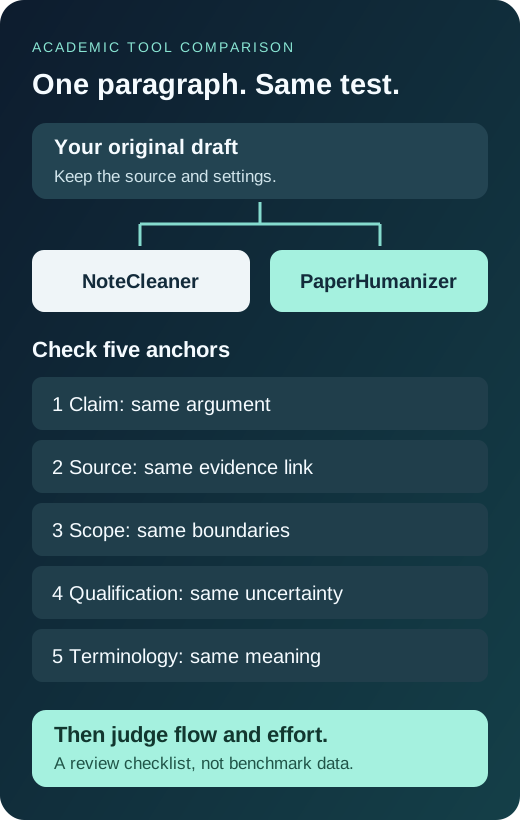
Do not compare two tools using unrelated demo passages. Take one non-sensitive paragraph from your own draft that includes these five anchors:
- Claim: what the paragraph actually argues.
- Source: the citation and the finding it supports.
- Scope: the population, setting, or period.
- Qualification: words such as “may,” “associated,” or “in this sample.”
- Terminology: a disciplinary phrase that should not become a loose synonym.
Give both tools the same paragraph and comparable settings. Save each output separately. Do not run one output through the other: that makes it harder to trace where a changed meaning entered the draft.
Use identical acceptance criteria before comparing elegance, speed, or cost.
Use a simple record rather than a vague impression:
| Check | What to record for each output |
|---|---|
| Claim preserved | Any stronger, weaker, or newly introduced statement |
| Citation connected | Whether the marker still supports the same clause |
| Scope retained | Any lost sample, location, date, or limitation |
| Terminology stable | Any technical phrase requiring restoration |
| Final editing effort | The specific corrections you made before acceptance |
These are writer-review criteria, not automatic product scores. A shorter output is not automatically better, and a longer one is not automatically more scholarly.
Example: an attractive rewrite that you should reject
The following is a constructed teaching example. The study and citation are fictional; neither output is presented as a live result from NoteCleaner or PaperHumanizer.
Original
Furthermore, the classroom survey suggests that weekly planning was associated with lower self-reported deadline stress among first-year students at one university (Morgan, 2025). The cross-sectional design does not establish causality.
A useful illustrative edit
In a survey of first-year students at one university, weekly planning was associated with lower self-reported deadline stress (Morgan, 2025). Because the study was cross-sectional, the finding does not establish causality.
A fluent but unacceptable edit
Weekly planning reduces stress and improves academic performance for university students.
The unacceptable version sounds confident but invents performance improvement, removes the sample boundary, and converts association into causation. A detector score cannot repair those mistakes. The useful version removes an empty transition while preserving the information that matters.
Apply the same discipline to a methods paragraph: keep the instrument, measurement unit, time interval, and participant count. In a literature review, preserve which author reported which finding. Our academic before-and-after examples extend this review to different sections.
Comparing cost: pay for the workflow you will actually use
PaperHumanizer's current one-time access options are:
| Plan | Paid once | Access period | Monthly equivalent for annual access |
|---|---|---|---|
| Standard | $7.99 | 30 days | Not applicable |
| Premium | $12.99 | 30 days | Not applicable |
| Standard Yearly | $71.88 | 365 days | $5.99 |
| Premium Yearly | $119.88 | 365 days | $9.99 |
Annual access is charged upfront, not as twelve monthly payments. These plans do not automatically renew. Confirm the live pricing page and checkout before paying, because offers can change.
For one assignment, a shorter access period may be enough. For recurring papers, coursework, and revision cycles, compare annual value against how often you will genuinely use the editor—not how impressive a discount looks. Do a paragraph trial before committing to either provider.
What about AI detection results?
This article does not establish that either tool achieves a particular score on Pangram, Turnitin, GPTZero, or another detector. PaperHumanizer's detector-style UI values are simulated presentation values, not live external scans. If your institution requires a specific report, use its actual process and read that report separately.
Editing also does not turn an uncited source into your own idea or make prohibited AI assistance permitted. Use rewriting within your assignment's rules and keep your own reasoning central. If a detector report is your immediate concern, our Pangram student guide explains how to separate a text-share percentage from confidence.
Frequently asked questions
Is PaperHumanizer a NoteCleaner alternative for research papers?
Yes, if your priority is a focused academic rewrite-and-review workflow. Test a source-heavy passage with your usual terminology before choosing. This comparison does not establish universal superiority across every writing task.
Will a humanizer preserve every citation automatically?
Do not assume so. Check markers, quotations, author names, dates, and the exact claim each source supports. Keep citation-manager fields in the source document and manually verify the returned text.
Should I choose the most aggressive rewrite?
Not by default. Use the smallest change that solves the problem. A methods sentence may need clarity rather than creative restructuring; a repetitive discussion paragraph may need more substantial revision.
Can I compare confidential or unpublished research?
Use an anonymized excerpt first. Review each provider's current privacy terms and your institution's restrictions before uploading sensitive research, participant information, or confidential material.
Try one paragraph before choosing a plan
Pick a passage you understand well, identify its five anchors, and try PaperHumanizer. Compare the completed rewrite with the original, accept only changes you can defend, and then choose an access period that fits your workload. The right purchase is the workflow that helps you finish accurate writing with less repetitive editing.