
AI writing tools like ChatGPT, Claude, and Gemini have become standard in academic workflows. But there's a growing problem: the text they produce is highly predictable, and modern AI detectors like Turnitin and GPTZero can flag it with startling accuracy.
This guide walks you through exactly how to use PaperHumanizer to transform AI-generated academic text into natural, scholarly prose — one that reads like a human expert wrote it.
Why AI-Generated Text Gets Flagged
Before we dive into the "how," it helps to understand the "why."
AI language models generate text by predicting the most probable next token. This creates writing that is:
- Highly uniform in sentence length and structure
- Low in burstiness — real human writers mix short punchy sentences with longer complex ones
- Lexically predictable — AI tends to reach for the same transitional phrases repeatedly
When Turnitin or GPTZero scan your paper, they run statistical models looking for exactly these patterns. A human-written paper has natural variation; an AI-written one doesn't.
PaperHumanizer rewrites your text at the syntactic and lexical level to introduce that natural variation — while keeping your meaning, citations, and data exactly intact.
Step-by-Step: Using PaperHumanizer
Step 1 — Paste or Upload Your Text
Navigate to /ai-humanizer and either:
- Paste your text directly into the input box, or
- Upload a file (PDF, DOCX, DOC, or TXT up to 10 MB)
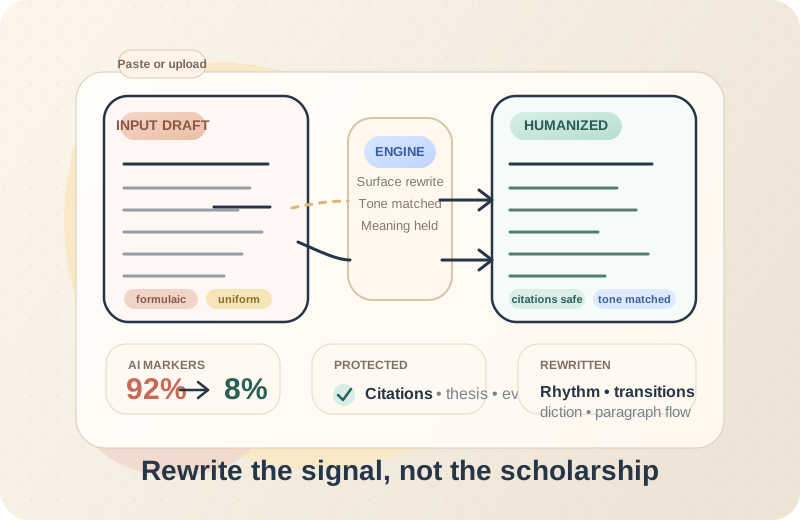
The tool accepts up to 10,000 characters per session. For longer documents, process section-by-section (we recommend Abstract → Introduction → each body chapter → Conclusion separately for best results).
Pro tip: If you're uploading a PDF, the tool automatically extracts the text. You can review and edit it in the input box before humanizing.
Step 2 — Choose Your Academic Tone
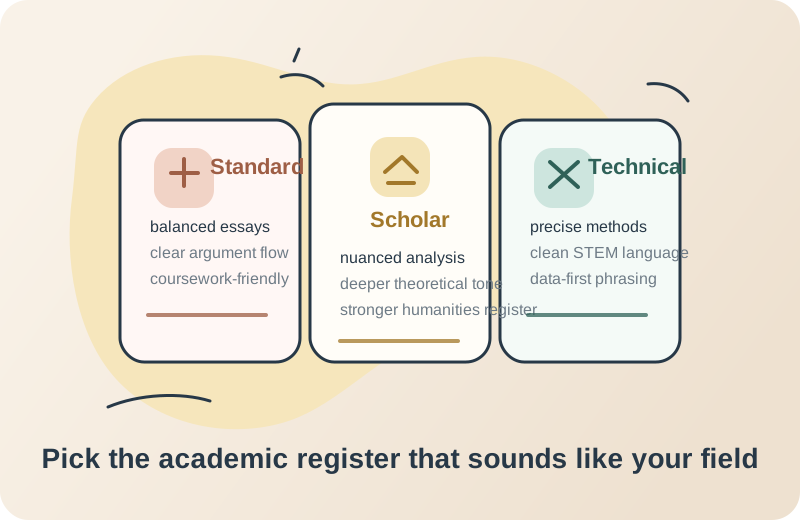
PaperHumanizer offers three distinct tone modes:
| Tone | Best For | Register |
|---|---|---|
| Standard | Undergraduate essays, coursework reports | Accessible academic prose |
| Scholar | Master's theses, doctoral dissertations, journal articles | Elevated scholarly register |
| Technical | STEM papers, lab reports, engineering case studies | Precision-focused, jargon-appropriate |
For most academic papers, Scholar mode produces the best results. It replicates the register of published academic literature — nuanced vocabulary, complex subordinate clauses, disciplinary hedging language.
Step 3 — Select Humanization Depth
Choose between two modes:
- Basic — Lighter rewriting. Preserves more of the original phrasing while reducing AI detection scores. Faster.
- Advanced — Deeper restructuring of sentences and paragraphs. Produces more variation and higher human writing scores. Best for papers with high AI detection scores.
If your paper is already scoring above 80% AI probability on detectors, go with Advanced.
Step 4 — Click "Humanize Paper" and Review
Click the Humanize Paper button. The tool will:
- Send your text to the AI rewriting engine
- Run the output through our internal AI detection suite (Turnitin, GPTZero, Originality.ai, ZeroGPT, Copyleaks)
- Display your Human Writing Score for each detector
- Reveal the humanized text once all checks pass
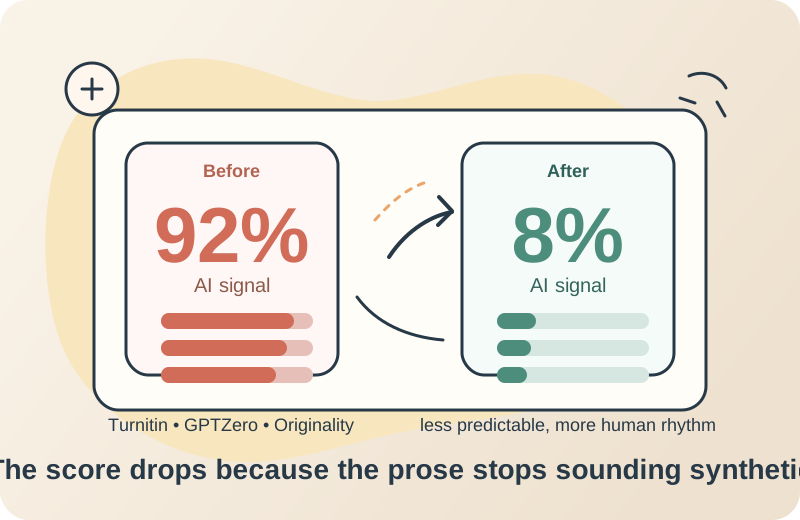
Review the output carefully in the Output tab. You can also use the Compare tab to see your original and humanized versions side-by-side.
Step 5 — Copy or Download
Once satisfied, click:
- Copy — copies the humanized text to your clipboard
- Download — saves a
.txtfile to your computer
Paste the result back into your Word document or LaTeX editor and do a final proofread.
Best Practices for Maximum Effectiveness
✅ Do These
Process one section at a time. Humanizing section-by-section gives you more control and better results than dumping an entire 8,000-word dissertation at once.
Read the output carefully. PaperHumanizer preserves meaning, but always verify that technical terms, statistical values, and citations came through correctly.
Use Scholar or Technical tone for graduate-level work. The Standard tone is fine for undergrad essays but may not sound authoritative enough for a PhD thesis.
Combine with your own edits. Think of the humanized output as a high-quality draft. Adding your own voice on top makes it even more natural.
❌ Avoid These
Don't humanize already-humanized text repeatedly. Running the same text through multiple times can introduce awkward phrasing. One pass is usually sufficient.
Don't remove citations before humanizing. The tool is designed to preserve in-text citations (APA, MLA, Chicago, Vancouver). Leave them in — they help the model understand what to protect.
Don't use Standard mode for journal submissions. Peer reviewers expect elevated scholarly language. Use Scholar mode for anything going to a journal.
What Happens to Your Data?
Your text is processed securely and not stored or used for training. Each session is isolated. We don't retain your academic content after processing.
Frequently Asked Questions
Will humanizing change my argument or conclusion? No. PaperHumanizer rewrites at the sentence and phrase level — the logical structure, evidence chains, and conclusions remain exactly as you wrote them.
Does it work for languages other than English? Currently, PaperHumanizer is optimized for English academic writing. Support for other languages is on the roadmap.
How long does humanization take? A typical 500-word passage takes 15–30 seconds. Longer texts (near the 10,000-character limit) may take 45–60 seconds.
Can I humanize a paper I didn't write with AI? Yes. Some students use PaperHumanizer to improve the clarity and academic register of their own drafts, even if AI wasn't involved in writing them.
Ready to Start?
Head over to PaperHumanizer and paste your first paragraph. No account required to try.